


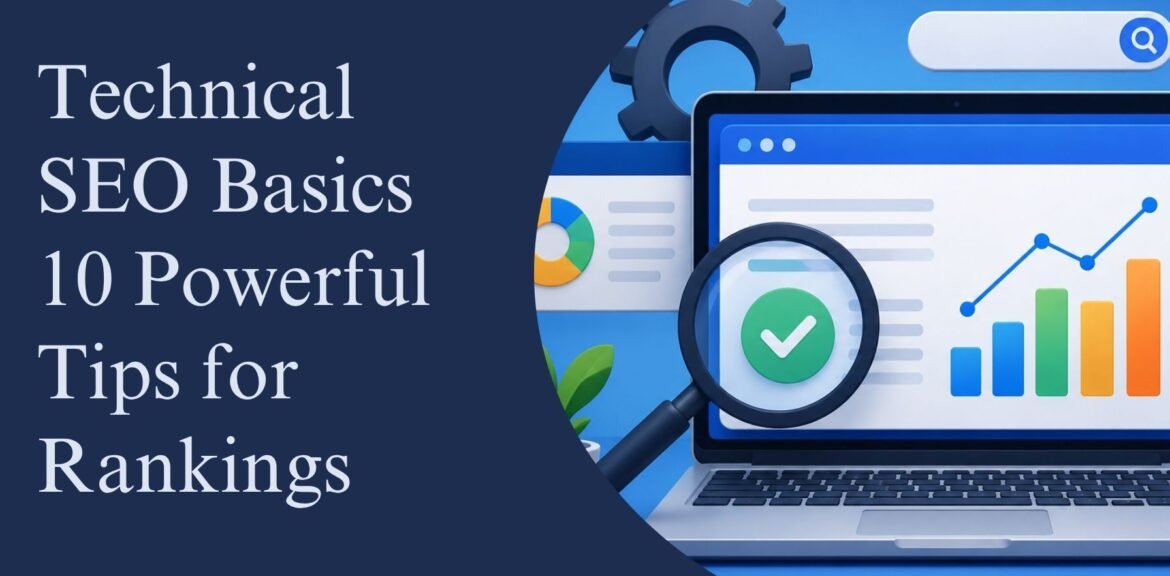

Understanding technical SEO basics is one of the most important steps for improving your website rankings on search engines. Even if your content is excellent, your website may struggle to rank if search engines cannot properly crawl, index, and understand your pages. Technical SEO focuses on optimizing the backend structure of your website to improve performance, speed, usability, and visibility in search results.
From website speed optimization to mobile responsiveness and structured data, Technical SEO Basics plays a major role in long-term digital success. Businesses that invest in technical optimization often see better organic traffic, lower bounce rates, and improved user experience. In this guide, you will learn 10 powerful technical SEO tips that can help boost rankings and strengthen your online presence.
Key Takeaways
- Technical SEO improves crawling and indexing.
- Faster websites rank better on Google.
- Mobile optimization is essential for SEO success.
- HTTPS security increases trust and rankings.
- XML sitemaps help search engines discover pages.
- Core Web Vitals impact user experience and SEO.
- Proper internal linking strengthens website authority.
- Technical SEO basics build a strong SEO foundation.
What Are Technical SEO Basics?
Technical SEO basics refer to the process of optimizing a website’s technical elements so search engines can efficiently crawl, index, and rank content. Unlike content-focused SEO, technical SEO works behind the scenes to improve overall website performance.
Technical SEO includes:
- Website speed optimization
- Mobile-friendly design
- HTTPS security
- XML sitemap setup
- Structured data
- URL optimization
- Crawl error fixing
- Internal linking improvements
Without strong Technical SEO Basics, websites may face ranking issues even with quality content.

1. Improve Website Speed
Website speed is a critical ranking factor and an important part of technical SEO basics. Slow websites frustrate users and increase bounce rates.
Ways to Improve Site Speed
Optimize Images
Compress images without reducing quality to improve loading time.
Minify CSS and JavaScript
Reduce unnecessary code to make pages load faster.
Use Browser Caching
Caching stores website data so returning visitors experience faster loading speeds.
Choose Fast Hosting
Reliable hosting improves website performance and uptime.
Fast-loading websites provide better user experience and stronger SEO performance.
2. Make Your Website Mobile-Friendly
Google uses mobile-first indexing, meaning the mobile version of your website is prioritized for ranking.
Mobile SEO Best Practices
- Use responsive web design
- Improve mobile loading speed
- Avoid intrusive pop-ups
- Use readable fonts
- Optimize touch elements
A mobile-friendly website is essential for both user experience and rankings.
3. Secure Your Website with HTTPS
HTTPS security protects user information and improves website trustworthiness.
Benefits of HTTPS
- Improves SEO rankings
- Builds visitor trust
- Secures sensitive data
- Reduces browser warnings
Installing an SSL certificate is one of the easiest technical SEO improvements you can make.
4. Optimize Your XML Sitemap
An XML sitemap helps search engines understand your website structure and discover important pages.
XML Sitemap Tips
- Include only important pages
- Remove broken URLs
- Update regularly
- Submit to Google Search Console
Proper sitemap optimization improves crawling efficiency and indexing speed.
5. Fix Crawl Errors
Crawl errors prevent search engines from accessing certain pages on your website.
Common Crawl Issues
404 Errors
Broken pages negatively impact user experience and SEO.
Redirect Loops
Too many redirects confuse search engines and users.
Server Errors
Server downtime can reduce crawl activity.
Regular technical SEO audits help identify and fix these issues quickly.
6. Improve URL Structure
Simple and clean URLs are easier for users and search engines to understand.
Good URL Example
yourwebsite.com/technical-seo-basics
Avoid
- Long URLs
- Random numbers
- Special characters
- Unnecessary parameters
Optimized URLs improve readability and SEO performance.
7. Use Structured Data Markup
Structured data helps search engines better understand website content.
Popular Schema Types
- FAQ schema
- Article schema
- Product schema
- Local business schema
- Review schema
Benefits of Structured Data
- Better search visibility
- Rich snippets
- Higher click-through rates
Schema markup improves the appearance of search listings and increases user engagement.
8. Optimize Internal Linking
Internal linking helps search engines discover pages and distribute authority across your website.
Internal Linking Tips
- Link relevant pages naturally
- Use descriptive anchor text
- Avoid excessive links
- Maintain logical website structure
Strong internal linking improves navigation and SEO performance.
9. Focus on Core Web Vitals
Core Web Vitals are Google metrics that measure website user experience.
Important Core Web Vitals
Largest Contentful Paint (LCP)
Measures page loading speed.
First Input Delay (FID)
Measures website interactivity.
Cumulative Layout Shift (CLS)
Measures visual stability during loading.
Improving these metrics enhances both rankings and user experience.
10. Regularly Perform Technical SEO Audits
A technical SEO audit helps identify website issues before they affect rankings.
What to Check in an SEO Audit
- Broken links
- Duplicate content
- Mobile usability
- Page speed
- Indexing issues
- Security problems
- Redirect errors
Regular audits keep your website healthy and optimized for search engines.
Common Technical SEO Mistakes to Avoid
Even experienced website owners can make technical SEO mistakes.
Mistakes That Hurt Rankings
- Slow-loading pages
- Missing meta tags
- Poor mobile design
- Duplicate content
- Broken internal links
- Incorrect redirects
- Unoptimized images
Avoiding these problems improves website performance and organic visibility.
Actionable Technical SEO Checklist
Website Performance
- Compress images
- Use caching
- Minify code
Mobile Optimization
- Use responsive design
- Improve mobile speed
- Test usability
Crawlability
- Submit XML sitemap
- Optimize robots.txt
- Fix crawl errors
Security
- Install SSL certificate
- Update plugins regularly
User Experience
- Improve navigation
- Reduce clutter
- Use clean layouts
Following these technical SEO basics can significantly improve your search rankings over time.
FAQs
What are technical SEO basics?
Technical SEO basics involve optimizing website infrastructure to improve crawling, indexing, and rankings.
Why is technical SEO important?
Technical SEO improves website performance, user experience, and search visibility.
How often should I perform a technical SEO audit?
It is recommended to perform a technical SEO audit every few months or after major website updates.
Does technical SEO improve rankings?
Yes, technical SEO helps search engines understand and rank your website more effectively.
Conclusion
Learning technical SEO basics is essential for building a successful online presence. Technical optimization improves website speed, mobile usability, crawlability, and overall search engine performance. Even small improvements such as fixing broken links, optimizing images, and improving Core Web Vitals can have a major impact on rankings.
Businesses that focus on technical SEO create a stronger foundation for content marketing, link building, and long-term organic growth. By following these 10 powerful tips, you can improve your website’s visibility, attract more visitors, and stay ahead of competitors in search results.
If you want expert help with SEO optimization, professional digital marketing services can help improve your website performance, rankings, and online growth strategy.
Boost your online growth with expert SEO, PPC, and digital marketing solutions from Wisdom Digital Marketing.